

Launcher
Every app, one click away.
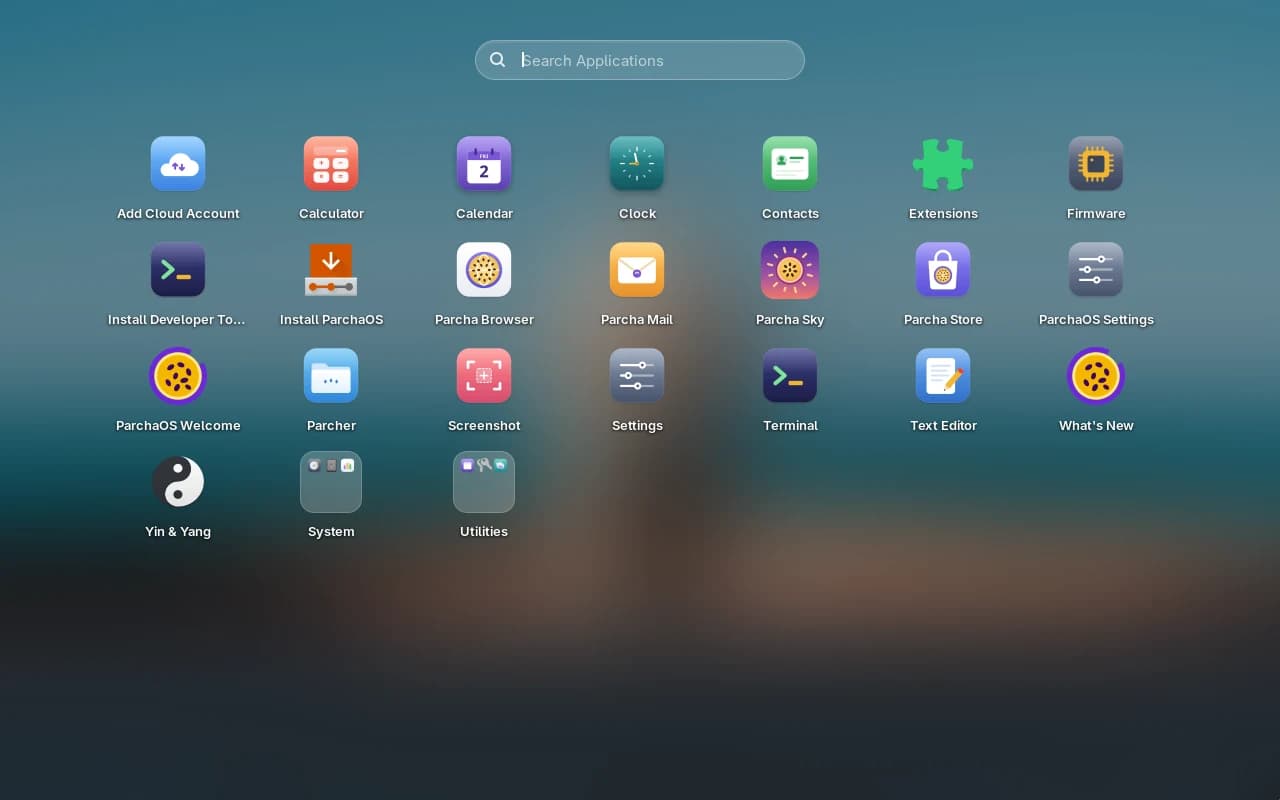
A full-screen launcher over your blurred desktop. Type to search, drag icons into place, and drop one app on another to make a folder.
ParchaOS is a polished Linux desktop with a dock, a global menu bar and everything where your hands expect it. Free, open source and built on Fedora.
Version 2026.10.02 · Fedora 44 · 2.07 GB · PC and ARM64 downloads





A dock, a menu bar and shortcuts right where your hands expect them. Nothing to learn first.
No ads and nothing to sign up for. You can even switch any app's network access off.
Fedora's software, security fixes and regular updates, installed with one command.
The code is open, and every release includes the source of everything in the ISO.
A full-screen launcher over your blurred desktop. Type to search, drag icons into place, and drop one app on another to make a folder.
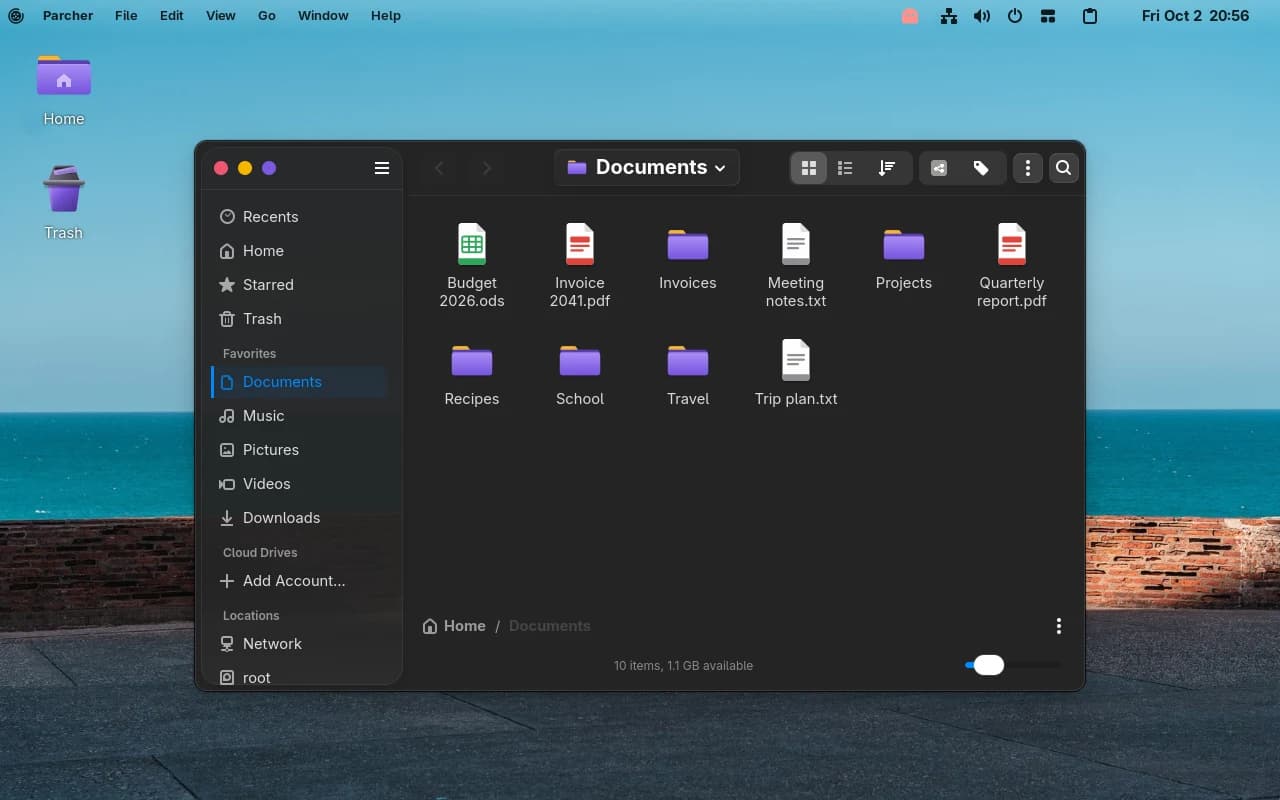
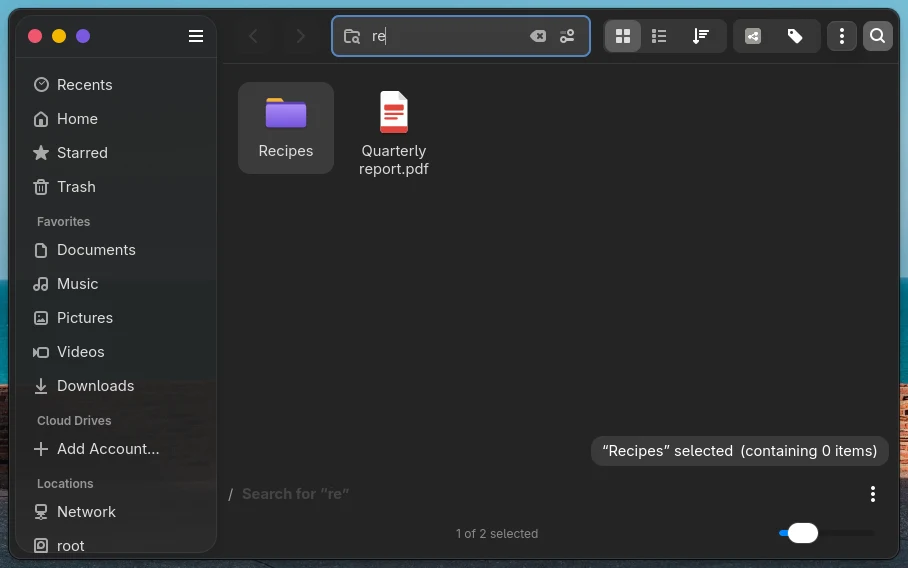
Parcher, the ParchaOS file manager, has colour tags for folders and a search that reads plain words. Type “pdf from last week” and it filters by date and file type for you.
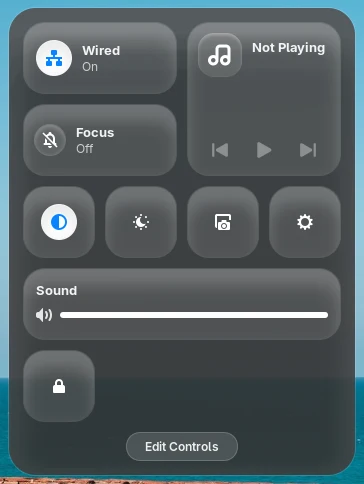
Wi-Fi, Bluetooth, Focus, dark mode, Night Light, brightness, sound and whatever is playing, in one tiled panel that opens from the top bar.
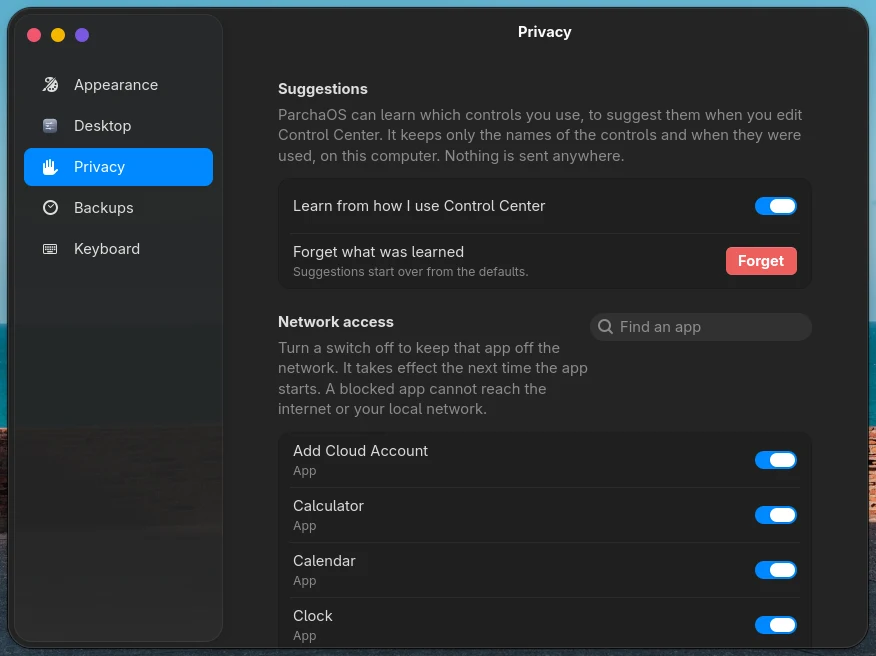
In ParchaOS Settings, switch any app off and it stays off the network, including your local one, the next time it starts. It works for Flatpak apps and the rest.
Every hour, and before and after each update, ParchaOS keeps a snapshot of your system and home folders. Open the snapshot menu in the top bar to look back and put files back. Parcha Backup copies them to an external drive or a network share.
A blocklist that refreshes every day keeps ads and trackers out of every app at once. Your own entries stay, and any site can be allowed.
Put desktop icons exactly where you like, or snap them to a grid. Pick berry, sunny, leaf, ocean or graphite folders. Keep everything you copy in a searchable clipboard history.
Yes. Download it, use it and share it. The code is licensed GPL-3.0-or-later, and ParchaOS's original artwork is CC BY-SA 4.0. The projects it builds on keep their own licenses.
You need a 64-bit PC (UEFI or BIOS), 4 GB of RAM (8 GB recommended) and 25 GB of disk space. Secure Boot can stay on. It has been tested on an AMD AM5 desktop and in virtual machines; other hardware has not been tested yet, so try the live desktop first. See which computers people have tried, and add yours.
Yes. ParchaOS starts as a live desktop from the USB stick and changes nothing on your computer until you click Install ParchaOS.
Fedora Linux 44 with the GNOME desktop, plus ParchaOS's own packages. Under the hood it is Fedora, so Fedora's software, documentation and security fixes all apply.
ParchaOS tells you when updates are ready. Install them from Parcha Store, or run sudo dnf upgrade in Terminal. Installing from the Store restarts the computer a few times, which is normal, so let it finish.
Back up your data first, as with any new operating system. The download page has the steps, and the support form goes straight to the people who fix things.
It is Puerto Rican Spanish for passion fruit, which is also what the logo is.